Punchbar

Time tracking that lives in your menu bar.

For Tempo Timesheets on Jira Cloud. Start a timer on any issue, switch with one click — and stopping books the time to Tempo. No browser tab, no web form.

See how it works Coming soon to the Mac App Store
No account needed No tracking, no ads Tokens stay in your Keychain Native for macOS · Apple silicon & Intel
Timer

A timer that books itself.

Tempo has no timer of its own — Punchbar brings one to your menu bar. Pick a favourite or search by key, and when you stop or switch, the worklog lands in Tempo with start time, duration and description.

  • Switch issues with one click — the previous timer is booked for you
  • Start without an issue and assign it later
  • Backdate the start or attach it to your last worklog
  • A global shortcut stops and books from anywhere
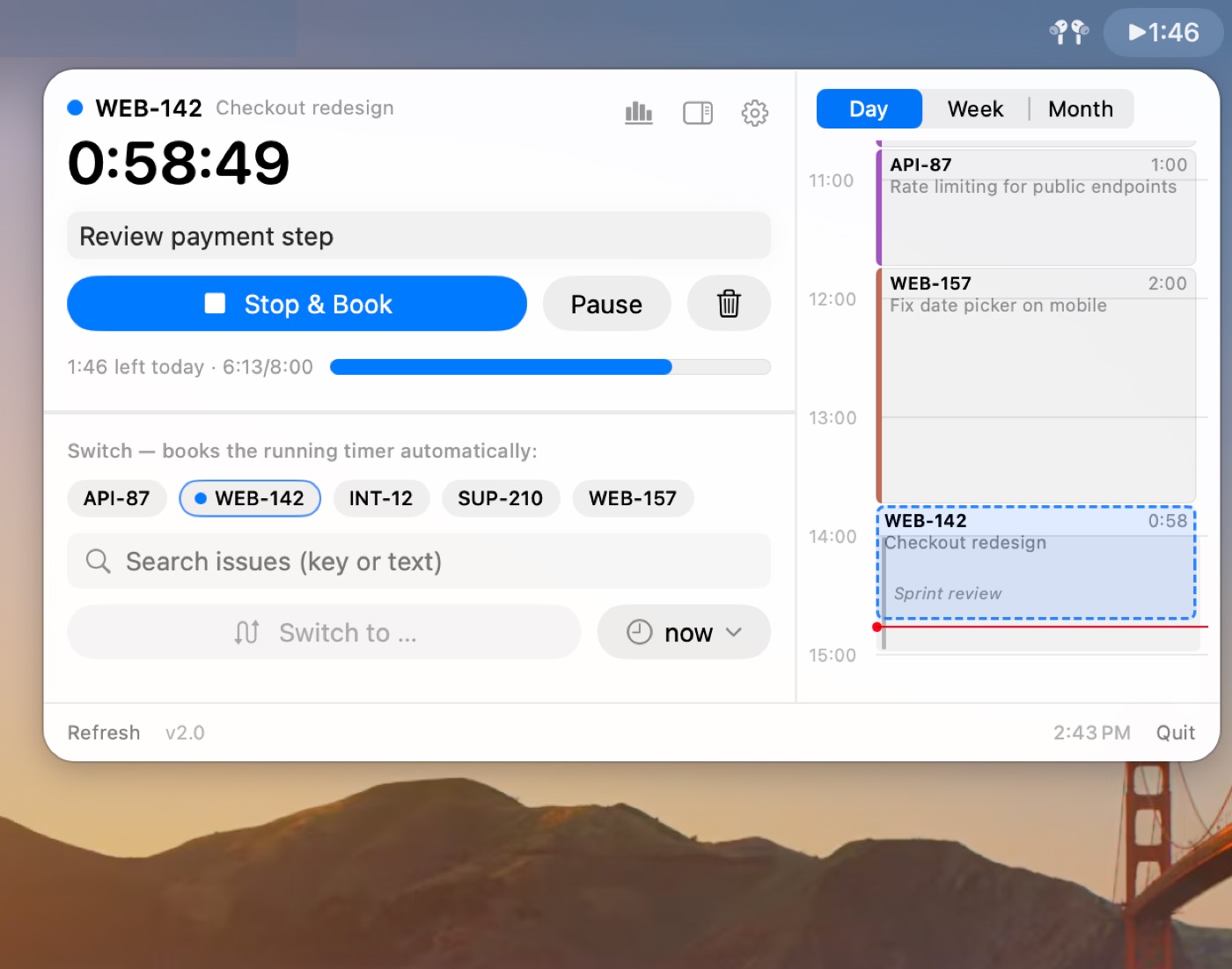
Running timer with description, favourite issues and the day calendar.
Your day

See your day. Fill the gaps.

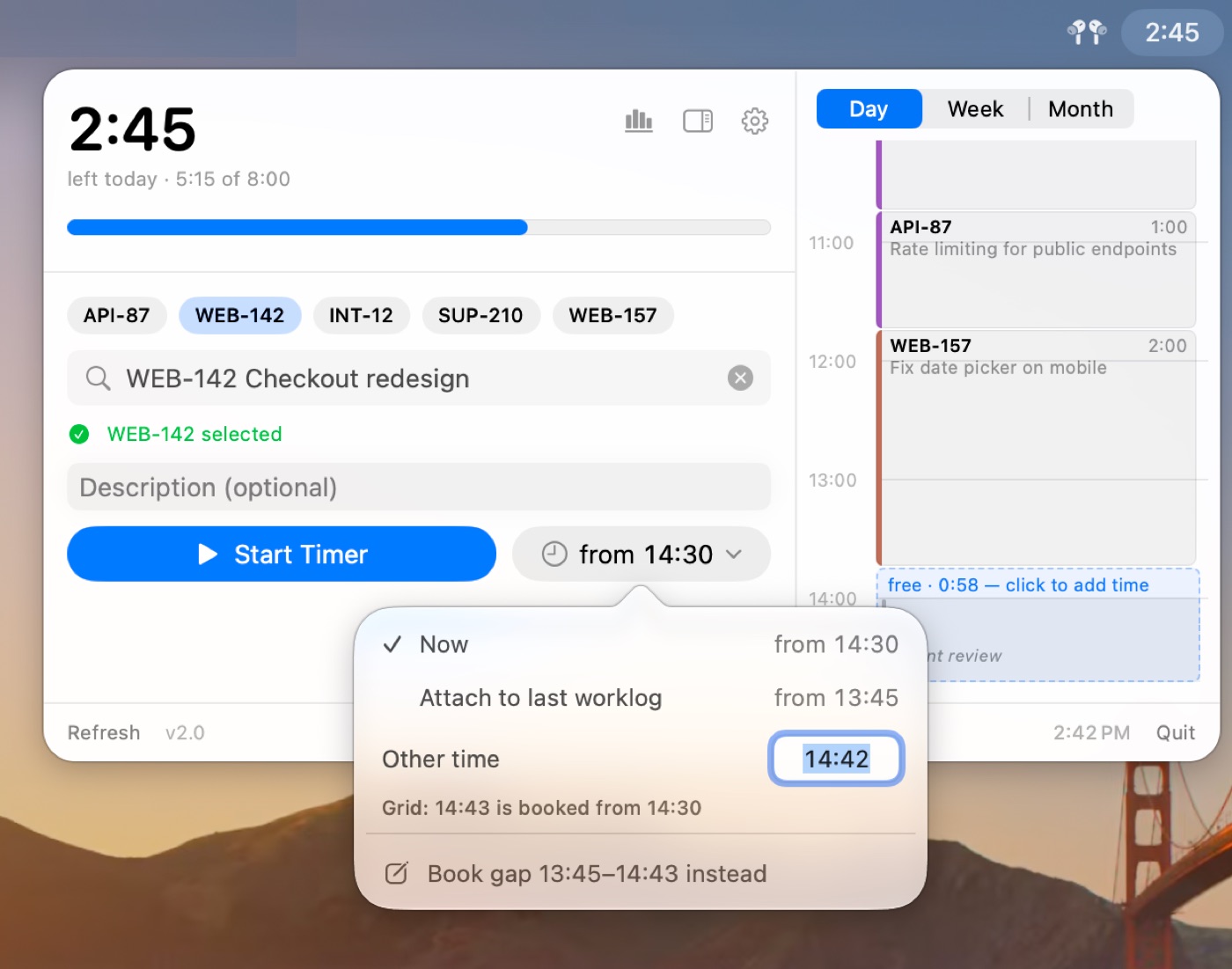
Bookings, free time and calendar events side by side. Click a gap or a meeting to book it — and your timesheet has no holes by the end of the day.

  • Meetings from your Mac’s calendar, read locally
  • Optional 5- or 15-minute grid keeps entries tidy
  • Edit start, end, duration or description in place
  • Add missing time for past days from the week and month views
The start time menu: start now, attach to the last worklog, another time, or book the gap instead.
Insights

Know where your week went.

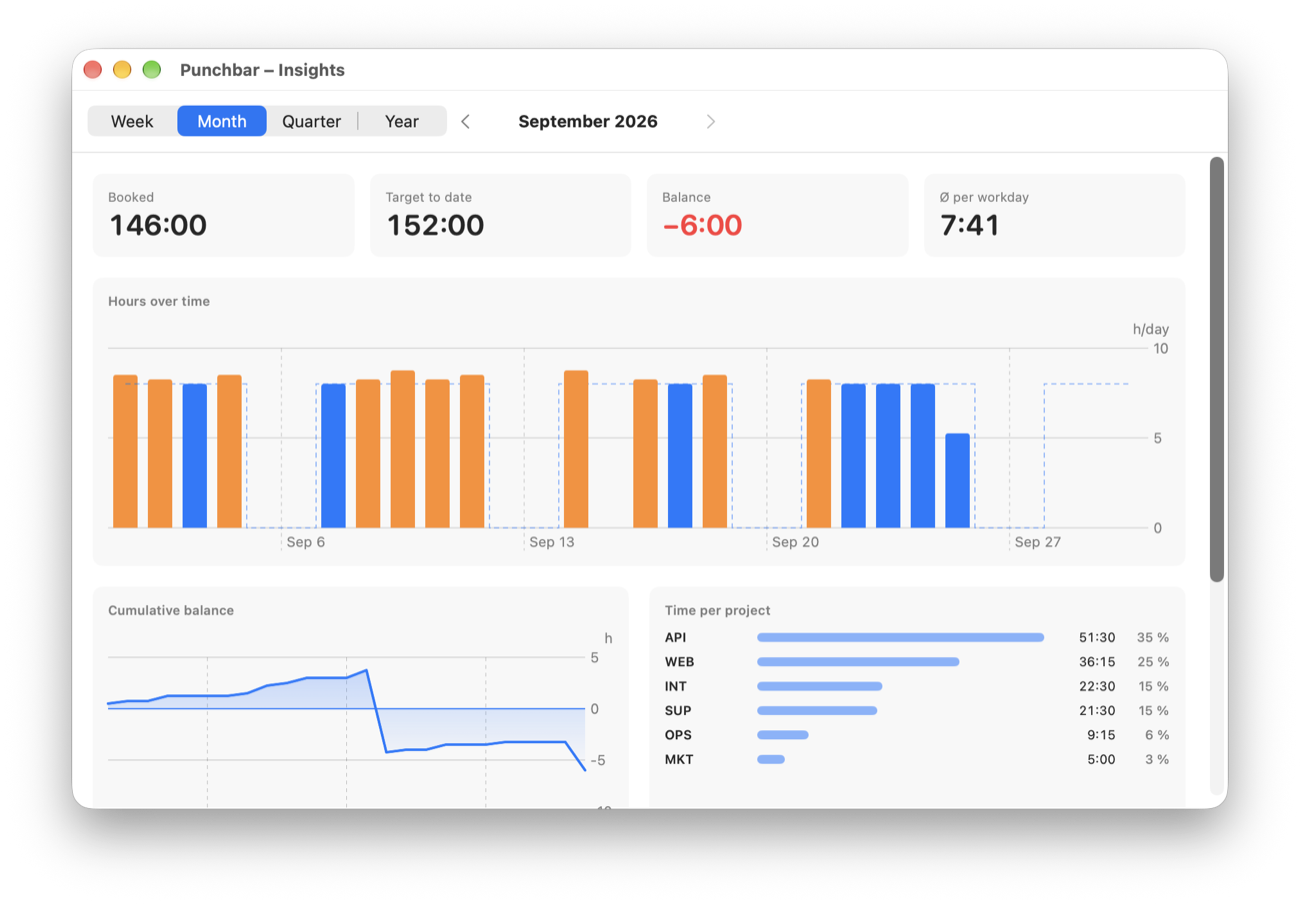
The menu bar shows how much is still missing today, based on your Tempo schedule. One click further: balance per week and month, hours over time and time per project — without building a report.

  • Holidays and part-time schedules included
  • Week and month views with your balance
  • Top issues and projects at a glance
Insights window: booked hours, target, balance, hours over time and time per project.

And the details that make it stick.

Gentle reminders

Forgotten timer, nothing tracked yet, missing hours from yesterday, idle time while your Mac was locked.

Clean grid booking

New entries attach to your last one or snap to a 5- or 15-minute grid. Durations round up.

Keyboard & automation

Global shortcut, ⌘⏎ in the panel, and URL actions for Raycast, Apple Shortcuts and Stream Deck.

Works when Tempo doesn’t

Offline or rate-limited? Worklogs wait in a queue and are sent automatically.

Set up in two minutes

An assistant walks you through both API tokens and checks them right away.

Try before you connect

Demo mode shows everything with sample data — nothing is saved or sent.

English & German

Fully localized, with dates and weeks in your region’s format.

Truly native

Built for macOS 15 and later. Light and dark mode, Apple silicon and Intel.

Your data stays between your Mac and Tempo.

Punchbar has no servers and no account. It talks directly to Tempo and Jira with your own API tokens.

  • Tokens are stored in the macOS Keychain
  • No analytics, no tracking, no ads
  • Calendar events are read locally and never leave your Mac

Read the privacy policy

Questions

What do I need to use Punchbar?

A Mac with macOS 15 or later, Jira Cloud with Tempo Timesheets, and two API tokens — one from Tempo, one from Atlassian. The setup assistant opens both pages for you and checks the tokens.

Does it work with Jira Data Center or Tempo Server?

No, Punchbar supports Jira Cloud with Tempo Timesheets (Cloud) only.

Can I try it before connecting my account?

Yes. Demo mode shows the full app with sample data. Nothing is saved and nothing is sent to Tempo.

How much does it cost?

Free to download and free to try for a full month. After that, €1.99 per month or €12.99 per year — cancel anytime in your App Store settings. Demo mode is always free.

More answers on the support page

Time tracking you don’t have to think about.

Coming soon to the Mac App Store.

support@punchbar.app